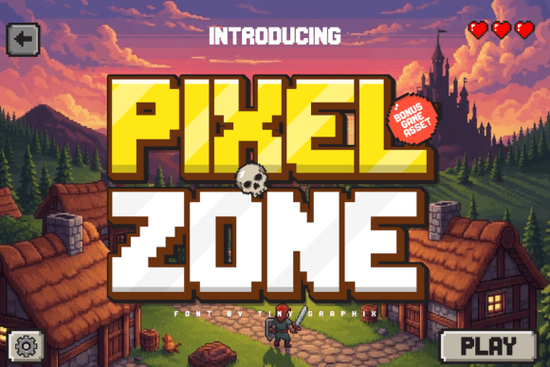
If you're working on a retro game, arcade-style artwork, or pixel art project, the font you pick sets the whole tone. Pixel Zone Font is a bold, clean pixel typeface built for 8-bit and 16-bit game aesthetics. It stays crisp and readable on modern screens while delivering that authentic old-school arcade feel which is exactly what you need for game titles, menus, HUDs, logos, and stream overlays.
What Comes Included With Pixel Zone?
This isn't just a font download. Pixel Zone ships with bonus pixel game assets that match the font's retro style. You get icons, UI elements, hearts, coins, buttons, cursors, trophies, and more. These assets are designed on the same pixel grid as the font, so everything looks cohesive when you combine them in a project.
Here's what you can create with this package:
- Game titles and retro logo designs
- In-game menus, HUD elements, and interface screens
- YouTube thumbnails and channel graphics
- Posters, stickers, and print-on-demand merchandise
- Retro-themed branding, packaging, and social media posts
The included assets alone can save you hours of manual pixel art work, especially if you're building a complete game interface from scratch.
Who Should Use a Pixel Font Like This?
Pixel Zone works for a surprisingly wide range of creators. Indie game developers building retro-style titles get a font that reads well at small sizes for menus and dialogue boxes, while still looking strong on title screens. Streamers can use it for overlays, alert animations, and panel designs that match a gaming channel's vibe.
Print-on-demand sellers targeting the retro gaming niche can apply Pixel Zone to t-shirt designs, mugs, posters, and phone cases. The 8-bit aesthetic has a dedicated audience that actively searches for this style of merchandise.
Even if you're a hobbyist making pixel art for fun or a small business creating themed marketing materials, having a reliable pixel font in your toolkit keeps your work consistent and saves design time.
How Does Pixel Zone Compare to Other Display Fonts?
Pixel Zone is specifically designed for pixel and gaming contexts, which makes it a strong choice when that's your project's direction. But if you're exploring different display font styles for other creative needs, there are good options worth knowing about.
For vintage or automotive-themed designs, a bold retro display typeface with a hotrod feel brings a different kind of energy. If your project calls for texture and grit, a rough grunge display font gives designs a worn, handcrafted look.
When you want something cleaner and more modern, an outline-style display font works well for contemporary branding and posters. For sporty or action-packed designs, a fast, energetic display typeface adds movement and attitude. And during the holiday season, a festive Christmas-themed font can bring seasonal warmth to your graphics.
Each of these fonts fills a different creative need. Pixel Zone stands out because of its dedicated gaming assets and pixel-perfect grid alignment, which makes it especially practical for game interfaces and retro projects.
Does It Work Across Different Software and Platforms?
Yes. Pixel Zone is compatible with major design tools and game engines. Whether you're working in a graphic editor, a layout program, or a game development environment, the font integrates without compatibility issues. The bonus assets are provided in standard formats that drop into most workflows easily.
The font also holds its sharpness at various sizes. This matters because game interfaces often require the same typeface at multiple scales a small dialogue box, a medium-sized menu label, and a large title screen header.
What Should You Check Before Buying?
Licensing is always worth reviewing before using any font in commercial products. Whether you're selling merchandise, publishing a game, or creating client work, confirm that the license covers your intended use. The product page lists licensing details clearly, so take a moment to read through them.
Quick Checklist Before You Start
- Define your project type game, merch, stream overlay, branding, or something else.
- Review the license make sure it fits your commercial or personal use needs.
- Test at multiple sizes preview the font in your actual layout before committing to it.
- Explore the bonus assets the icons and UI elements can replace hours of extra design work.
- Map out your interface sketch where the font and assets will go before building in your design tool.
Start by downloading the font, testing it in your project at real size, and building out one complete screen using both the typeface and the included assets. That quick test will tell you fast whether it's the right fit for your creative work.
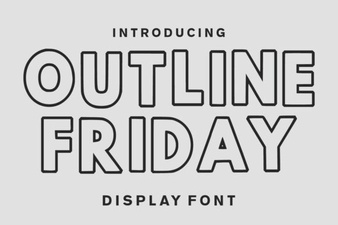 Outline Friday Font: Creative Uses for Modern Designs
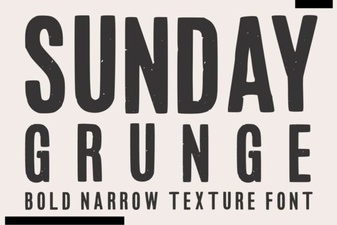 Sunday Grunge Font: Edgy Designs for Creative Projects
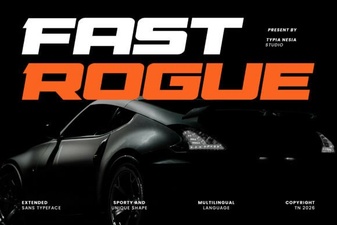 Fast Rogue Font: Bold & Edgy Typography for Designs
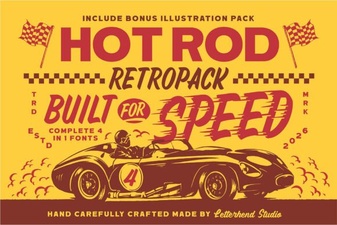 Hotrod Font: Bold Vintage Typography for Creative Design Projects
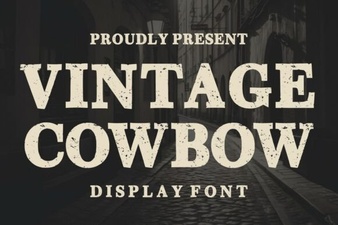 Vintage Cowboy Display Font for Western Designs
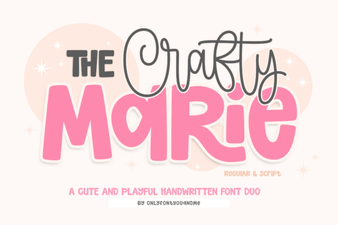 The Crafty Marie Font: a Handmade Charm for Creative Designs