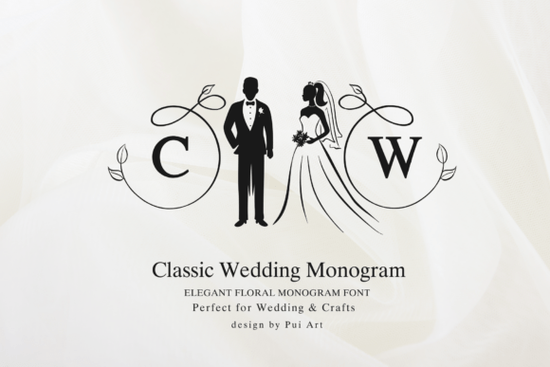
If you're designing wedding invitations, personalized gifts, or custom décor, the Classic Wedding Monogram Font is one of those typefaces that immediately sets a formal, romantic tone. It features an elegant circle alphabet with bride and groom silhouettes framed by decorative swirl accents. Whether you work with Cricut, laser cutting, or print-on-demand, this monogram font gives your wedding projects a polished, classic feel without much extra effort.
What Makes This Wedding Monogram Font Stand Out?
Plenty of monogram fonts exist, but this one combines a few elements that matter most for wedding projects:
- Circle-based letterforms that frame initials beautifully
- Bride and groom silhouettes built into the design
- Decorative swirl accents that add elegance without cluttering the layout
- A formal, timeless style that works across different wedding themes
The overall look leans traditional rather than modern, which makes it a solid match for classic weddings, vintage-inspired designs, and anniversary projects. If you're working on signage for a reception or cutting initials into wood or acrylic, the clean circular layout makes sizing and alignment straightforward.
What Can You Use It For?
This font works well across a wide range of wedding-related projects. Here are some of the most common uses among designers and crafters:
- Wedding invitations and save-the-dates
- Personalized initials for napkins, favors, and gift tags
- Cricut and Silhouette projects like vinyl decals and paper crafts
- Laser cutting and engraving on wood, acrylic, or metal
- Signage for ceremonies, receptions, and bridal showers
- Custom décor such as cake toppers, table numbers, and wall art
- Print-on-demand products like mugs, tote bags, and apparel
For print-on-demand sellers, a monogram font like this can expand your product range with personalized wedding items a category that stays in demand year-round.
How Does It Compare to Other Wedding Monogram Fonts?
If you're browsing for the right monogram style, it helps to compare a few options. The Love Heart Monogram Font takes a more playful, romantic approach with heart shapes integrated into the letters a good pick if your audience prefers something softer and more casual.
For a nature-inspired alternative, the Love Bird Wedding Monogram Font pairs bird illustrations with decorative lettering, which fits garden weddings and rustic themes nicely.
On the other hand, if your project needs something bold and non-wedding-specific, the Royal Blade Font offers a strong, regal style that works for logos and branding. Similarly, the Albatross Font brings a modern serif feel suited to editorial and business designs. Both are worth bookmarking for future projects.
Compared to these, the Classic Wedding Monogram sits firmly in the formal wedding category. Its silhouettes and swirl details make it specifically suited for bridal and anniversary work rather than general-purpose design.
Is It Easy to Use With Cricut and Laser Cutters?
Yes and this is where many crafters find the most value. The circular monogram design cuts cleanly because the letterforms are enclosed in a defined shape. That means:
- Less weeding with vinyl projects
- Cleaner edges on laser-cut wood or acrylic
- Easier alignment when layering materials
- Consistent sizing across multiple pieces
Just make sure to check the font's file format and licensing before you start a project, especially if you plan to sell finished products. The Classic Wedding Monogram Font product page on Creative Fabrica includes all the details you need.
Tips for Getting the Best Results
Here are a few practical suggestions based on how designers typically use monogram fonts in wedding projects:
- Keep it simple. A monogram font already carries visual weight pair it with a clean sans-serif for body text rather than another decorative typeface.
- Test at your final size. Swirl details can look different on a business card versus a large sign. Always do a test cut or print at the actual output size.
- Use high contrast. Gold on white, black on cream, or metallic on dark backgrounds all work well with this style.
- Check your licensing. If you're selling products, confirm that the license covers commercial use.
Quick Checklist Before You Start Your Project
- ✅ Download the font from Creative Fabrica
- ✅ Confirm the license covers your intended use (personal or commercial)
- ✅ Install the font and test it in your design software
- ✅ Do a trial cut or print at your final size
- ✅ Pair it with a simple secondary font for any accompanying text
- ✅ Save your project file before final output
If you're building a collection of wedding design resources, keep a few complementary fonts on hand so you can mix and match styles across different client projects. Starting with this monogram font gives you a strong foundation for elegant, personalized wedding work.
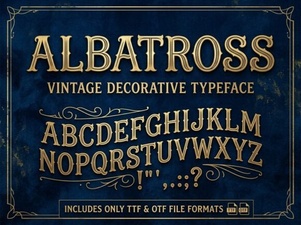 Albatross Font: Modern Typography for Creative Design
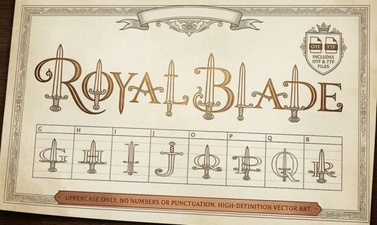 Royal Blade Font – Bold Decorative Display Typeface
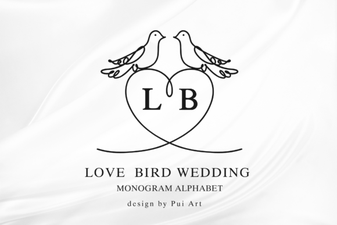 Love Bird Wedding Monogram Font for Elegant Designs
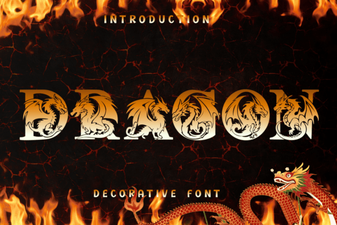 Dragon Font - Free Decorative Fonts for Bold and Fantasy Designs
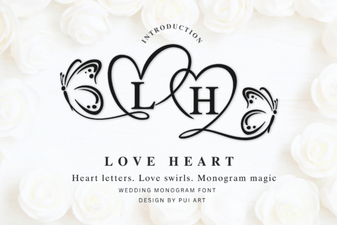 Elegant Love Heart Monogram Font for Creative Projects
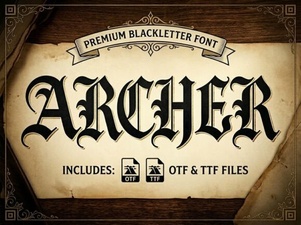 Archer Font: Modern Typography for Creative Design Projects