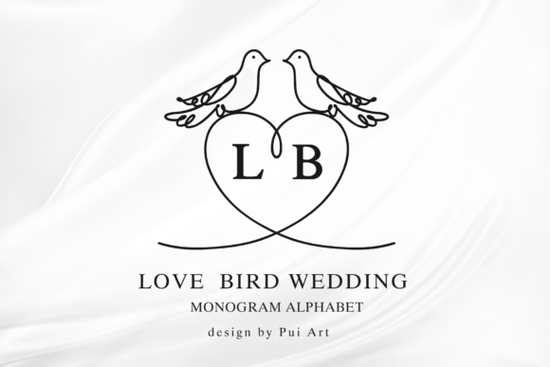
If you're looking for a monogram font that brings real romance to wedding projects, the Love Bird Wedding Monogram Font is worth a close look. It pairs elegant serif-inspired letterforms with delicate lovebird illustrations and heart-shaped frames the kind of detail that makes wedding stationery feel personal and polished without extra effort.
Whether you design wedding invitations for clients, sell personalized gifts on Etsy, or just want a beautiful alphabet for a friend's big day, this font gives you a complete A–Z monogram set ready for digital and craft projects alike.
What Makes This Wedding Monogram Font Different?
Plenty of monogram fonts look nice on screen but fall flat once you try to use them in a real design. The Love Bird Wedding Monogram Font works because every letter sits inside a carefully crafted frame with subtle bird and heart details. The characters are clean and legible serif-style, not overly decorative so they pair well with body text fonts you probably already own.
A few things that stand out:
- Built-in illustrations The lovebird motifs and heart frames are part of each glyph, not separate clip art you have to position manually.
- Consistent sizing Every letter shares the same proportions, so mixed initials (like "A & J") look balanced side by side.
- Scalable design The letterforms stay crisp from small wax seal dimensions up to large signage.
For designers who also work on non-wedding projects, it helps to have a few different decorative styles on hand. A bold option like the Royal Blade Font or a fantasy-inspired choice such as the Dragon Font can round out your collection for other client briefs.
How Can You Use This Font in Real Projects?
This monogram alphabet works across a surprising range of wedding and romantic craft applications. Here are some of the most popular ways people use it:
- Wedding invitations and save-the-date cards Drop in the couple's initials for an elegant header or wax seal graphic.
- Custom logos Many small stationery businesses use monogram fonts to build quick, affordable wedding logos for clients.
- Cricut and Silhouette projects The clean outlines cut well on vinyl, cardstock, and heat transfer material.
- Signage and table numbers Large-format prints keep their quality, so welcome signs and seating charts look sharp.
- Gifts and decals Personalized mugs, tote bags, and ornaments are popular print-on-demand products around wedding season.
- Thank-you notes and envelope liners Carry the same monogram style from the first invitation to the final card.
If you're building a full wedding font bundle for your shop, consider pairing it with the classic serif option or the heart-centered monogram style to give customers more choices.
Who Is This Font Best For?
This font is a solid pick for anyone creating designs around weddings, engagements, anniversaries, or Valentine's Day. Specifically:
- Wedding stationery designers who need a reliable monogram font that clients love.
- Print-on-demand sellers looking for romantic graphics that stand out in a crowded market.
- Crafters and hobbyists making personalized gifts with a Cricut or Silhouette machine.
- Small business owners in the wedding industry who want polished branding without hiring a custom lettering artist.
The soft, classic feel of the lovebird illustrations keeps the designs timeless rather than trendy something couples appreciate when they look back at their wedding stationery years later.
Does It Work With Standard Design Software?
Yes. The font installs like any standard typeface and works in popular programs including:
- Adobe Illustrator, Photoshop, and InDesign
- Canva (with a Pro account for font uploads)
- Cricut Design Space
- Silhouette Studio
- Affinity Designer
Since it's a complete A–Z set, you can type any pair of initials directly no need to swap between files or manually assemble letters.
Quick Checklist Before You Start Designing
- Download the font from Creative Fabrica and install it on your system.
- Test both uppercase letters monograms often look best in all caps.
- Pair it with a simple sans-serif or script font for names, dates, and body copy so the monogram stays the focal point.
- Check cut settings if you're using a Cricut or Silhouette do a small test cut before committing to final material.
- Save your monogram as a vector file (SVG or EPS) for resizing across different products without losing quality.
Start with one simple initial design, print a test copy, and build from there. A clean monogram paired with good typography is often all you need to create something that looks expensive and feels personal.
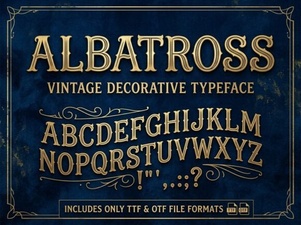 Albatross Font: Modern Typography for Creative Design
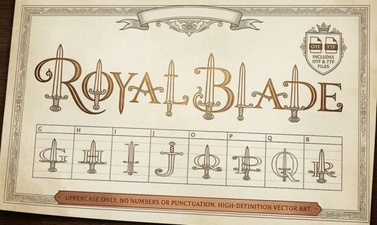 Royal Blade Font – Bold Decorative Display Typeface
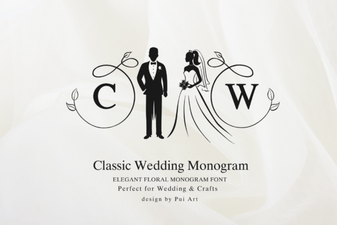 Classic Wedding Monogram Font – Elegant Decorative Lettering for Invitations
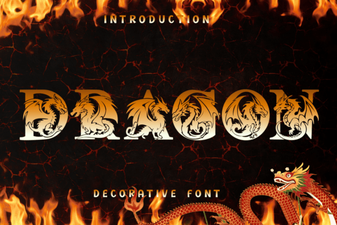 Dragon Font - Free Decorative Fonts for Bold and Fantasy Designs
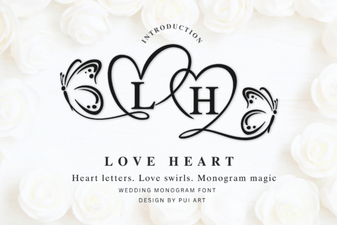 Elegant Love Heart Monogram Font for Creative Projects
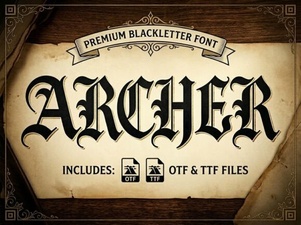 Archer Font: Modern Typography for Creative Design Projects