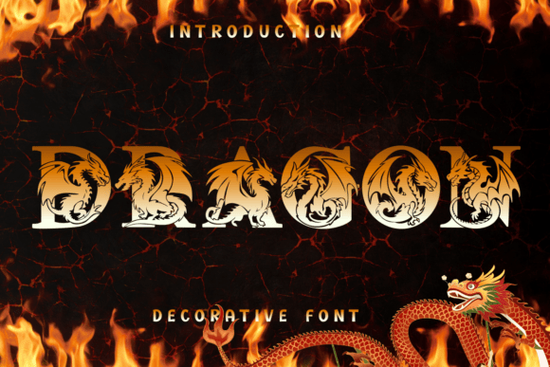
The Dragon Font is a decorative typeface where every letter is designed to look like a mythical dragon. Instead of standard letterforms, each character features detailed scales, wings, and a fiery aesthetic that makes your text look like a piece of fantasy art. If you're working on a gaming project, a movie poster, or bold apparel designs, this typeface gives your work an unmistakable sense of ancient power and adventure.
Unlike a standard display font, the Dragon typeface doubles as a series of intricate illustrations. Each letter works as a standalone centerpiece or logo element, which makes it especially useful for projects where the typography itself needs to carry the visual weight of the design.
What Can You Use the Dragon Font For?
This typeface works well across a range of creative projects. Here are some of the most popular uses:
- Fantasy gaming branding Logos, title screens, character sheets, and promotional materials for RPGs and video games
- Epic movie and book titles Poster headers and chapter covers that need a dramatic, mythical feel
- Apparel and merchandise T-shirt designs, hoodies, and print-on-demand products targeting fantasy and adventure audiences
- Tabletop RPG materials Campaign maps, rulebooks, and dungeon master screens
- Social media graphics YouTube thumbnails, Twitch overlays, and Instagram posts for gaming channels
- Event invitations Medieval-themed parties, fantasy conventions, or LARP event flyers
How Do You Get the Best Results With This Typeface?
Because the Dragon typeface already has a lot of visual detail built into each character, the way you style it matters. A few simple techniques can make a big difference:
- Apply gold gradients A metallic gold or bronze gradient gives the letters a rich, regal look that works especially well on dark backgrounds.
- Add fiery textures Overlaying a flame or ember texture brings the dragon characters to life and reinforces the mythical theme.
- Use dark backgrounds Deep blacks, dark reds, or navy blues provide the best contrast for the intricate details in each letter.
- Pair with simple secondary fonts Since the Dragon font is highly detailed, use a clean sans-serif or serif for body text to keep your layout balanced.
Designers who enjoy working with bold, thematic typefaces have plenty of options to explore alongside the Dragon typeface. The Royal Blade font offers a medieval sword-inspired style, while the albatross typeface brings a different kind of ornamental character to display projects. For weddings or romantic occasions, the Love Bird monogram font and the Love Heart monogram typeface are solid alternatives with their own distinct charm.
Does It Work for Print-on-Demand Sellers?
Absolutely. Print-on-demand sellers in the fantasy and gaming niche often struggle to find typefaces that stand out in a crowded marketplace. The Dragon font solves that problem because the letters themselves are the design. You don't need additional illustrations or graphics to make a strong visual statement.
Here's a simple workflow for POD sellers:
- Set your text using the Dragon typeface in your design software.
- Apply a gradient or texture overlay to the lettering.
- Place it on a dark background with minimal additional elements.
- Export at the resolution required by your POD platform.
- List it in a niche category like fantasy apparel, gamer gifts, or adventure-themed merchandise.
This approach works well on platforms like Redbubble, TeePublic, and Merch by Amazon, where fantasy-themed designs continue to attract buyers year-round.
What Should You Know Before Buying?
When you get the Dragon Font from Creative Fabrica, you receive standard font files that work with most design software, including Adobe Illustrator, Photoshop, Canva, and Procreate. Always check the specific license terms before using any font for commercial projects, especially for print-on-demand or merchandise sales.
Creative Fabrica offers different licensing options, so make sure the license you choose covers your intended use. For most small business and POD needs, their standard commercial license works but it's worth confirming before you launch a product line.
Quick Checklist Before You Start Designing
- Download and install the font files on your system
- Open your preferred design software and test the full character set
- Choose a dark background color that complements the dragon details
- Experiment with gold gradients or fiery texture overlays
- Pair with a simple secondary font for any supporting text
- Verify the license covers your specific commercial use case
- Export at the correct resolution for your print or digital platform
Tip: Before committing to a large product launch, create two or three test designs using the Dragon typeface and share them in spaces where your target audience hangs out. Fantasy and gaming communities on Reddit, Discord, and social media are great places to gather honest feedback and gauge real interest before scaling up your product line.
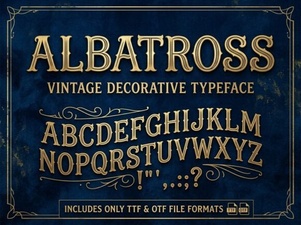 Albatross Font: Modern Typography for Creative Design
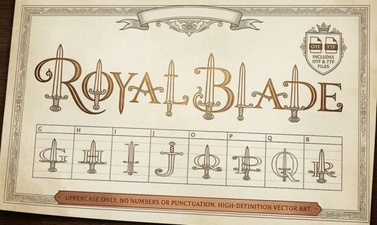 Royal Blade Font – Bold Decorative Display Typeface
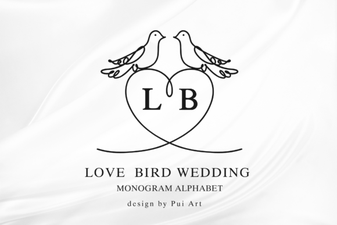 Love Bird Wedding Monogram Font for Elegant Designs
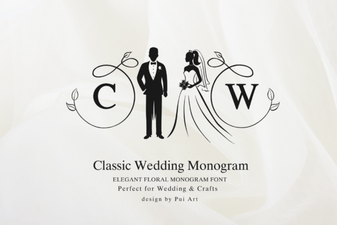 Classic Wedding Monogram Font – Elegant Decorative Lettering for Invitations
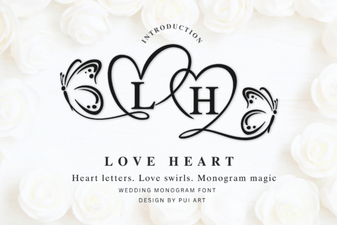 Elegant Love Heart Monogram Font for Creative Projects
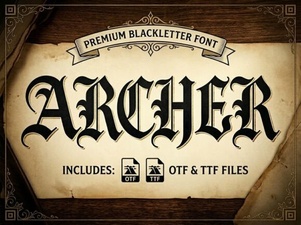 Archer Font: Modern Typography for Creative Design Projects